
Generative Automation Testing, particularly when supercharged with AI and the Playwright Model Context Protocol (MCP), represents a modern approach to End-to-End (E2E) software quality assurance. This integration leverages Large Language Models (LLMs) and Generative AI to create smarter, more efficient, and self-maintaining test suites.
1. What is MCP Server
1.1 MCP Server
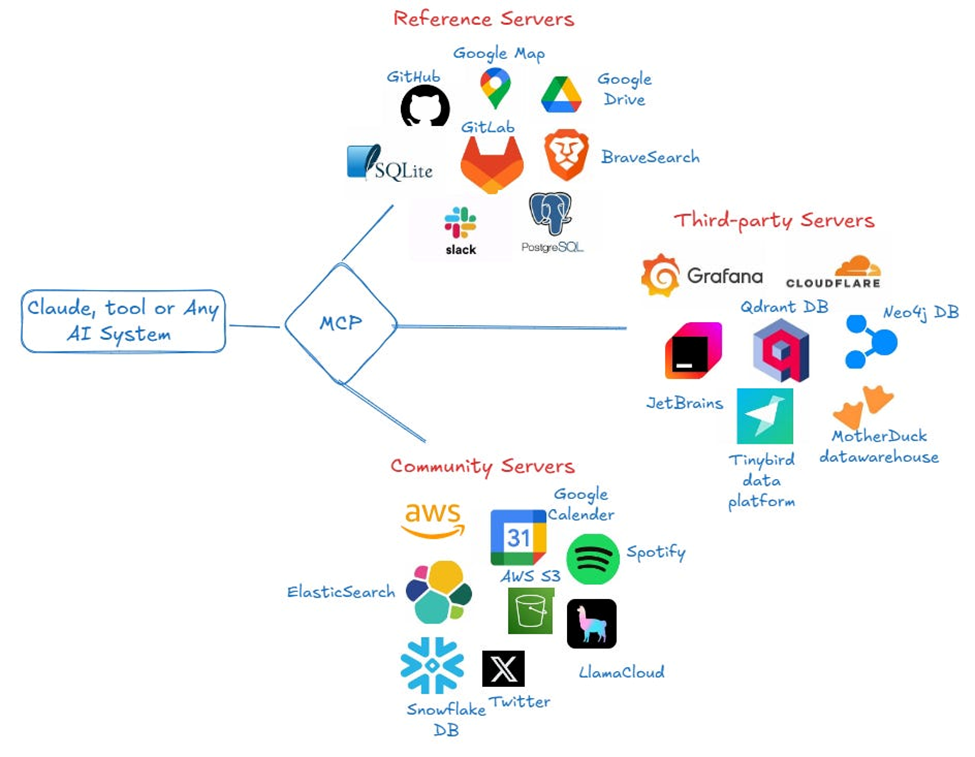
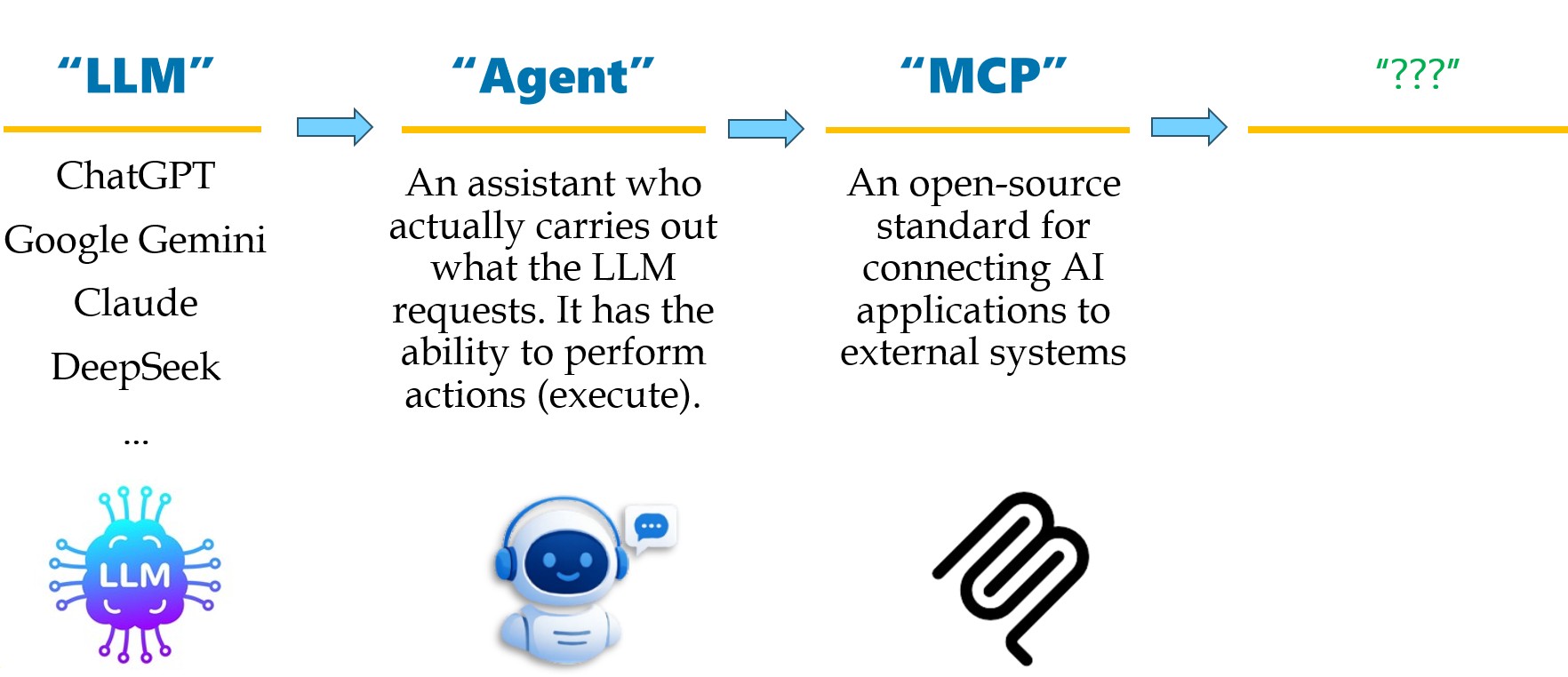
At the beginning of 2025, MCP Server is one of the most popular keywords when we talk about AI. For now, there is a lot of MCP Server kinds like Flutter MCP, PostgreSQL MCP, Selenium MCP, Git MCP. So, what is an MCP server?
An MCP (Model Context Protocol) server is a program that provides tools, resources, and capabilities to AI clients, enabling them to interact with external data and applications. It implements the server-side of the MCP protocol, which defines how clients and servers communicate.
1.2 Evolutionary diagram
2. Playwright MCP Server
A Model Context Protocol (MCP) server that provides browser automation capabilities using Playwright. This server enables LLMs to interact with web pages through structured accessibility snapshots, bypassing the need for screenshots or visually-tuned models.

2.1 Direct Interaction
The Playwright MCP Server can control your web browser in real time. Instead of just writing code for you, it executes browser actions directly.
Playwright provides high-level methods that interact with the page as a real user would, including built-in auto-waiting mechanisms to ensure elements are ready before acting.
2.2 Generate automation scripts
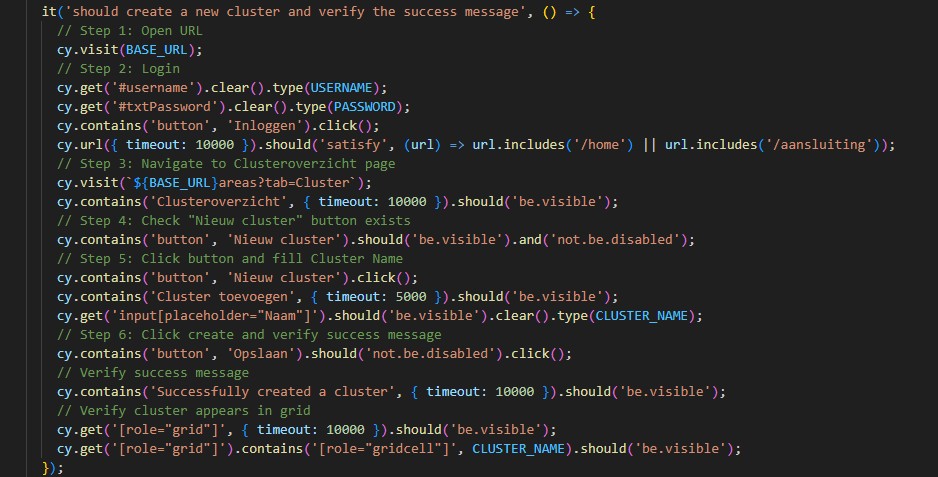
The Playwright MCP Server can automatically generate test scripts based on your requirements. Simply describe what you want to test, and it will create the necessary Playwright code with proper selectors and assertions.
With Playwright MCP, it will launch the browser and execute the steps we share.
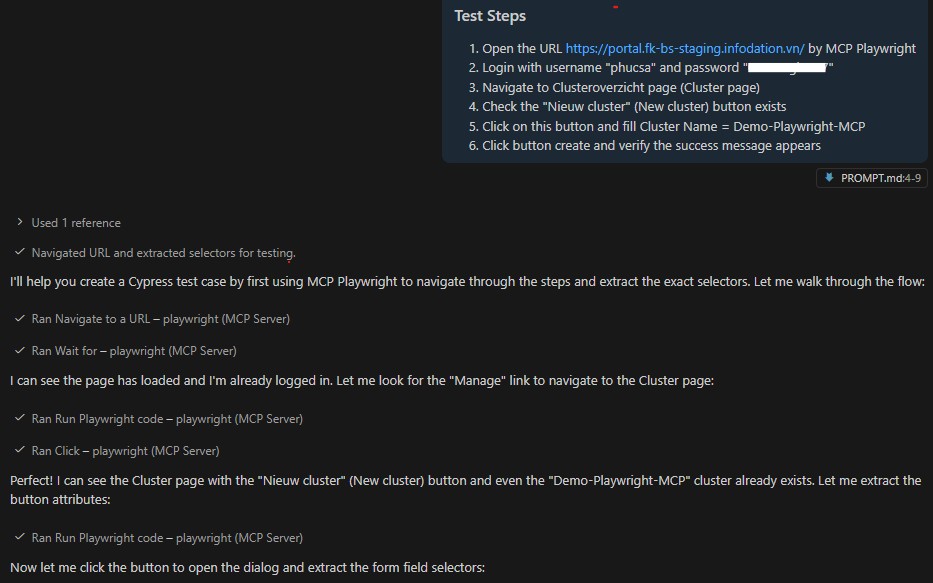
The Playwright MCP Server can automatically generate test scripts based on your requirements. Simply describe what you want to test, and it will create the necessary Playwright code with proper selectors and assertions.
2.3 Fix broken test
When tests fail due to UI changes or timing issues, the MCP Server can analyze the failures and suggest fixes. It can update selectors, add proper waits, and handle dynamic content automatically.
It is the core feature of Self-Healing in Automation Testing in the context of Generative Automation Testing utilizing Playwright and the Model Context Protocol (MCP).
2.4 Test execution
Execute your Playwright tests directly through the MCP Server with real-time feedback and detailed reporting. The server handles browser initialization, test execution, and cleanup automatically.
3. Quick steps to set up Playwright MCP Server on VS Code
3.1 Pre-requisite
- Node.js (version 18 or higher) - Download here
- Visual Studio Code - Download here
- GitHub Copilot subscription (required for AI assistance)
3.2 Install Playwright MCP Server
⚙️ Setting Playwright MCP Server
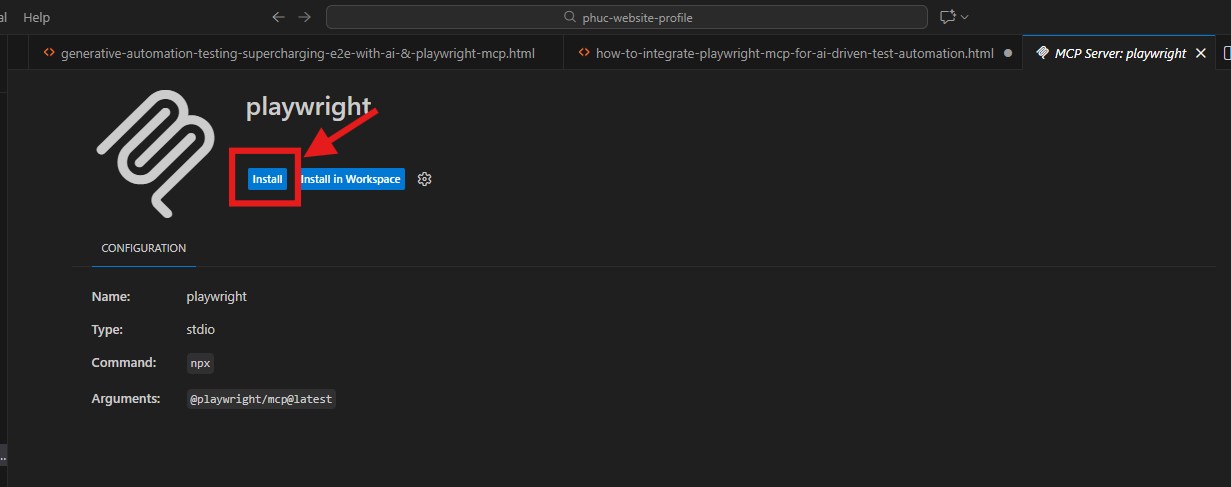
Install Playwright MCP Server to connect with GitHub Copilot by github.
You can go to https://github.com/microsoft/playwright-mcp and click VS Code symbol in the README.
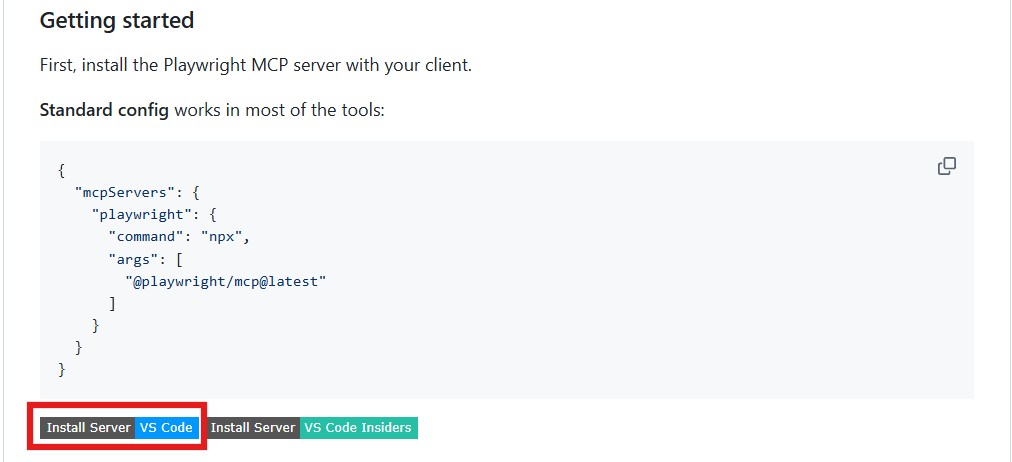
After click VS Code symbol, directly move to Visual Studio Code Marketplace. Click the button to install Playwright MCP Server extension on your VS Code.
⚙️ Configure MCP Server
Add the following configuration to connect GitHub Copilot with Playwright MCP Server.
Create a new file named mcp.config.json in your project root and paste the above configuration into it.
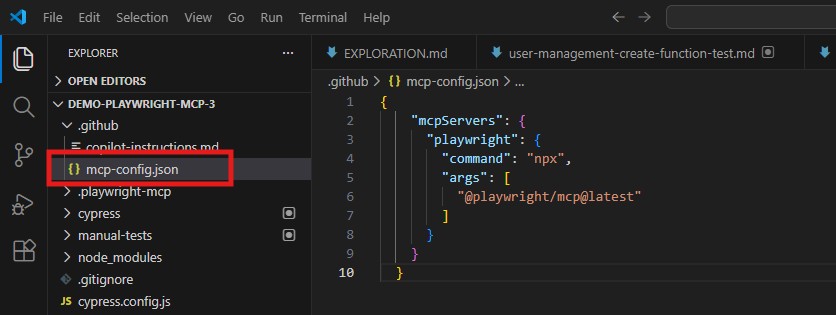
Configuration JSON:
{
  "mcpServers": {
    "playwright": {
      "command": "npx",
        "args": [
          "@playwright/mcp@latest"
        ]
      }
    }
}
3.3 Verify Installation
To verify that Playwright MCP Server is working correctly:
- Open a new file in VS Code
- Start GitHub Copilot Chat (
Ctrl+IorCmd+I) - Type: "@playwright navigate to https://google.com and take a screenshot"
- Copilot should generate Playwright code using MCP Server capabilities
3.4 Start Playing with Playwright MCP Server
Now you're ready to start using Playwright MCP Server with GitHub Copilot! Here are some examples:
- Generate test scripts: "@playwright create a test to login with username and password"
- Fix broken tests: "@playwright update selectors in my failing test"
- Execute tests: "@playwright run all tests and show me the results"
- Debug issues: "@playwright analyze why my test is failing"
The AI will generate accurate Playwright code with proper selectors, waits, and best practices automatically!
4. Conclusion
The combination of GitHub Copilot and Playwright MCP Server represents a significant advancement in test automation. It reduces the time needed to write and maintain tests while improving code quality and reliability. By automating the tedious parts of test creation and maintenance, QA engineers can focus on more strategic testing activities.
Start experimenting with Playwright MCP Server today and experience the future of intelligent test automation!